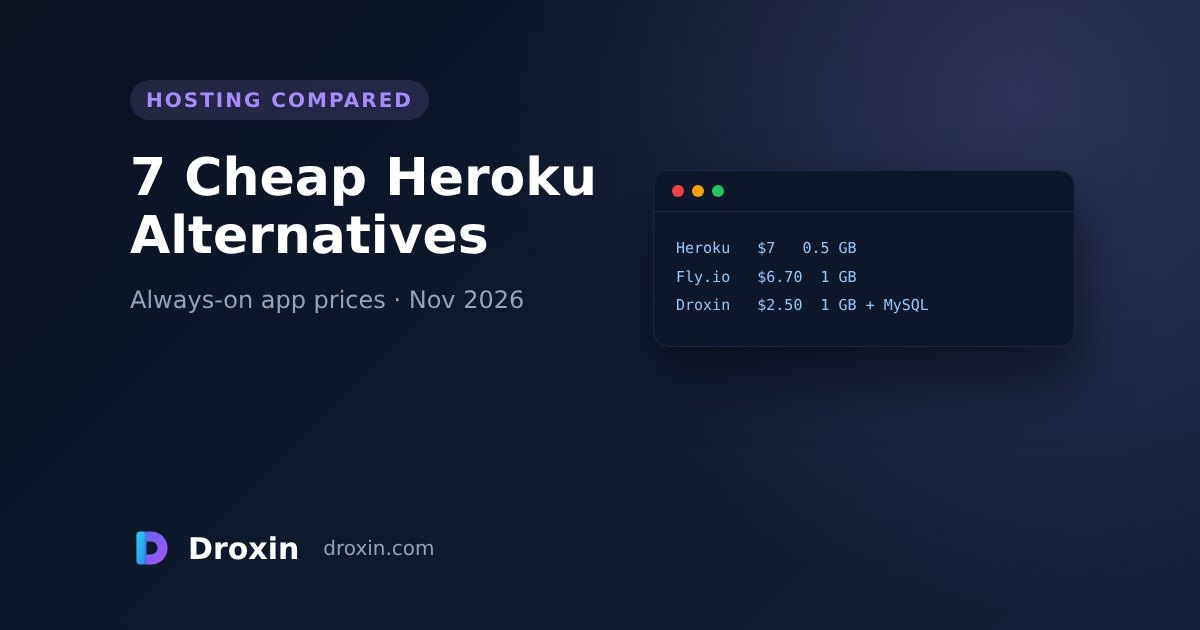
Heroku's cheapest dyno that doesn't sleep costs $7 a month for 0.5 GB of RAM, and the database is billed on top. If you run one small app — an API, a Telegram or Discord bot, a Django or Express site, a SaaS side project — there are cheaper ways to keep it online all month. Below are seven options with the prices each provider lists on its own pricing page, checked on 18 November 2026, and an honest note on who each one suits.
Disclosure: Droxin, the company that writes this blog, is one of the options. We list where the others are the better choice.
Prices at a glance
| Provider | Cheapest always-on | About 1–2 GB RAM | Database | You manage the server? |
|---|---|---|---|---|
| Heroku | $7/mo Basic (0.5 GB RAM). Eco $5 sleeps after 30 min idle | $50/mo Standard-2X (1 GB) | Postgres Essential-0 from $5/mo | No |
| Render | $7/mo Starter (512 MB) | $25/mo (1 CPU, 2 GB) | Postgres from $6/mo (256 MB RAM) | No |
| Railway | Hobby: $5/mo minimum, includes $5 of usage | Usage: about $10 per GB RAM and $20 per vCPU per month | Billed as usage | No |
| Fly.io | $2.19/mo (shared CPU, 256 MB) while running | $6.70/mo (1 GB) | Managed Postgres Basic $38/mo | Partly (you ship a container) |
| PythonAnywhere | $10/mo Developer (Python only) | Custom plans $10–$500/mo | MySQL included; Postgres extra | No |
| Hetzner Cloud (VPS) | From €5.49/mo excl. VAT | Included in the server | Install your own | Yes — everything |
| Droxin | $2.50/mo Starter (1 vCPU, 1 GB RAM, 2 GB NVMe) | $8.50/mo Standard (2 vCPU, 2 GB RAM) | MySQL / MariaDB included | No (managed cPanel) |
Prices in USD unless stated, before tax, for one app, from each provider's pricing page on 18 November 2026. Usage-based platforms also charge for bandwidth, build minutes or volumes. Prices change — check the provider's page before you decide.
1. Heroku — still the simplest, no longer the cheapest
Good for: teams already on Heroku, add-ons, review apps, buildpacks you don't want to replace.
Watch out for: Eco dynos ($5) sleep after 30 minutes without traffic, so the first visitor waits. An always-on Basic dyno is $7 for 0.5 GB of RAM, 1 GB of RAM means Standard-2X at $50, and Postgres is a separate bill.
2. Render — Heroku-like, with a free tier for testing
Good for: Git-push deploys, Docker, background workers, cron jobs and preview environments.
Watch out for: the free tier has limitations, the always-on Starter is $7 for 512 MB, and 2 GB of RAM is $25 a month before the database ($6 and up).
3. Railway — pay for what actually runs
Good for: several small services that are mostly idle, and quick experiments.
Watch out for: the bill follows usage. A service that keeps 1 GB of RAM busy all month costs about $10 for the memory alone, plus CPU, so an always-on app can cost more than a fixed plan. The Hobby plan has a $5 minimum.
4. Fly.io — the cheapest container, if you're comfortable with Docker
Good for: running close to users in several regions, and developers who are happy with a fly.toml and a Dockerfile.
Watch out for: 256 MB of RAM ($2.19) is too small for most Django, Next.js or data-library apps — 1 GB is $6.70 — and Managed Postgres starts at $38 a month.
5. PythonAnywhere — the easiest start for Python
Good for: learning, a small Flask or Django app, scheduled Python scripts. There's a free Beginner account.
Watch out for: Python only, one web app on the $10 Developer plan, and less control over the stack than the other options.
6. A VPS (Hetzner and similar) — cheapest per GB, all the work is yours
Good for: people who already run Linux servers: you get a whole machine from about €5.49 a month and can put the app and the database on it.
Watch out for: updates, firewall, SSL renewals, backups, the web server and the process manager are your job. When something breaks at night, it's your problem.
7. Droxin — fixed price, cPanel, a database included
Good for: one or a few websites, APIs, bots or a SaaS backend in Node.js (Express, Next.js, NestJS), Python (Django, Flask, FastAPI) or WordPress, when you want a fixed monthly price instead of a usage bill. You choose CPU, RAM and NVMe disk, the price doesn't go up on renewal, MySQL/MariaDB is included, and the servers are in Germany or the USA. If the app won't start on our servers, our engineers look at the logs with you.
Watch out for: apps run under cPanel (Phusion Passenger), not in Docker containers, with no autoscaling and no preview environments, and the included database is MySQL/MariaDB, not Postgres. If you need those, Render, Railway or Fly.io fit better.
Plans: Node.js hosting · Python hosting · full price comparison · we move your app from Heroku for you.
Which one should you pick?
- You deploy Docker images or need autoscaling: Render, Railway or Fly.io.
- You're learning Python and want free hosting: PythonAnywhere's free account.
- You enjoy running servers: a VPS is the cheapest per GB of RAM.
- You want one fixed price for an always-on app with a database, and someone to call when it breaks: a managed cPanel plan such as Droxin.
Moving off Heroku: the short checklist
- Export the database (
heroku pg:backups:capturethenheroku pg:backups:download) and plan how to import it — Postgres to MySQL needs a conversion step. - Copy the config vars (
heroku config -s) into the new host's environment variables. - Replace the
Procfilestart command with the new host's start file or command. - Lower the DNS TTL a day before, then point the domain and re-issue SSL.
- Keep the Heroku app running until the new one has served real traffic for a day.
Guides for the cPanel route: deploy a Node.js app on cPanel, deploy Django or Flask, deploy FastAPI, and run a Telegram bot with webhooks.